
Download Download Manager Tweak Extension – download manager, Firefox add-on, download management, file management, download utility, download enhancement, Firefox extension, download automation, download tool, download tracker
Overview
The Download Manager Tweak Extension is a specialized Firefox add-on designed to enhance the native download management capabilities of the browser. It addresses common user frustrations related to limited visibility and control over ongoing and completed downloads. By offering advanced organizational and management features, the extension improves workflow efficiency, particularly for users who frequently download large files or manage multiple downloads simultaneously. The tool is ideal for power users, researchers, content creators, and anyone seeking a more structured approach to handling downloads within Firefox.
Developed by Ryan J. Boudreaux, the extension has been available since 2010, indicating a long-standing presence in the Firefox ecosystem. Its longevity suggests reliability and consistent performance over time. Although the developer did not provide additional technical details about the development process or future roadmap, the extension continues to serve its core purpose effectively. Real-world use cases include managing software installations, downloading academic papers, organizing multimedia content, and streamlining post-download workflows.
Within the broader Firefox add-on landscape, the Download Manager Tweak Extension fills a niche by extending functionality without requiring significant system resources. Its lightweight design and focused scope make it a valuable utility for users who prioritize efficiency and control over their download experience. The extension operates seamlessly within the browser environment, enhancing usability without introducing complexity.
Key Features & Functionality
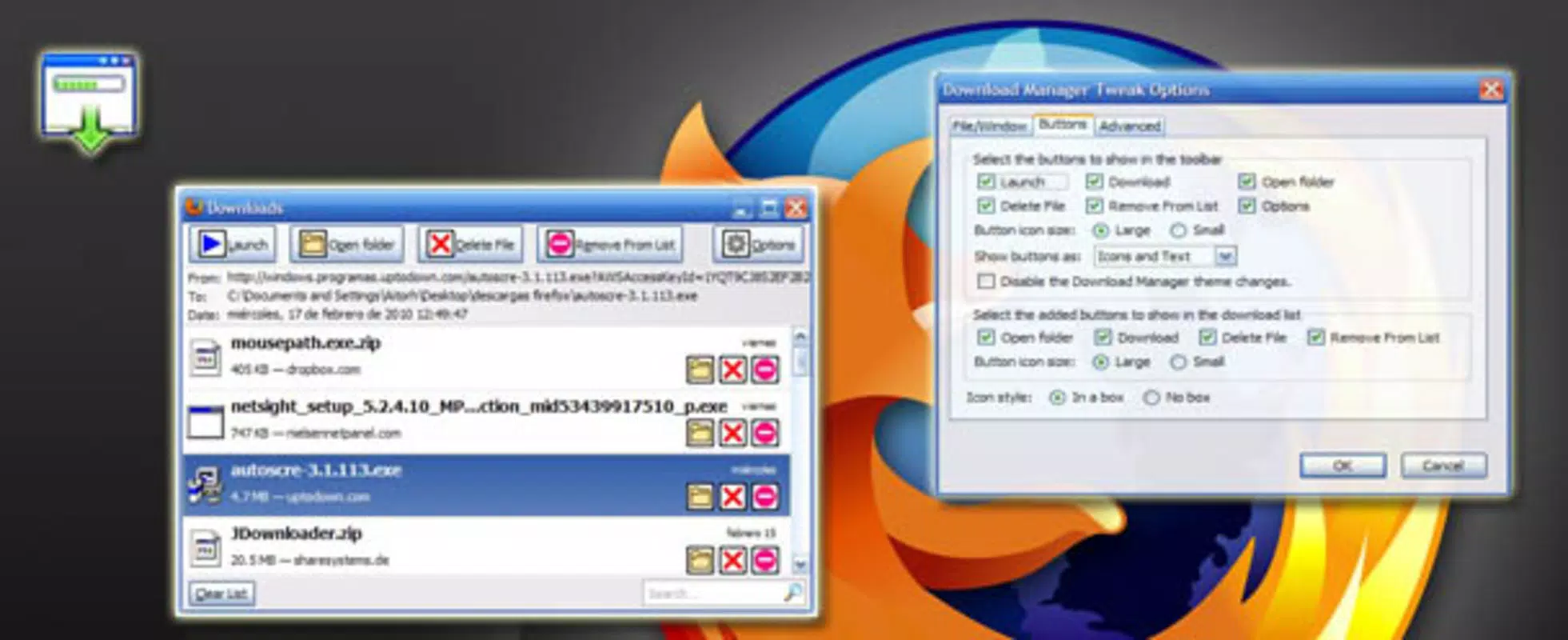
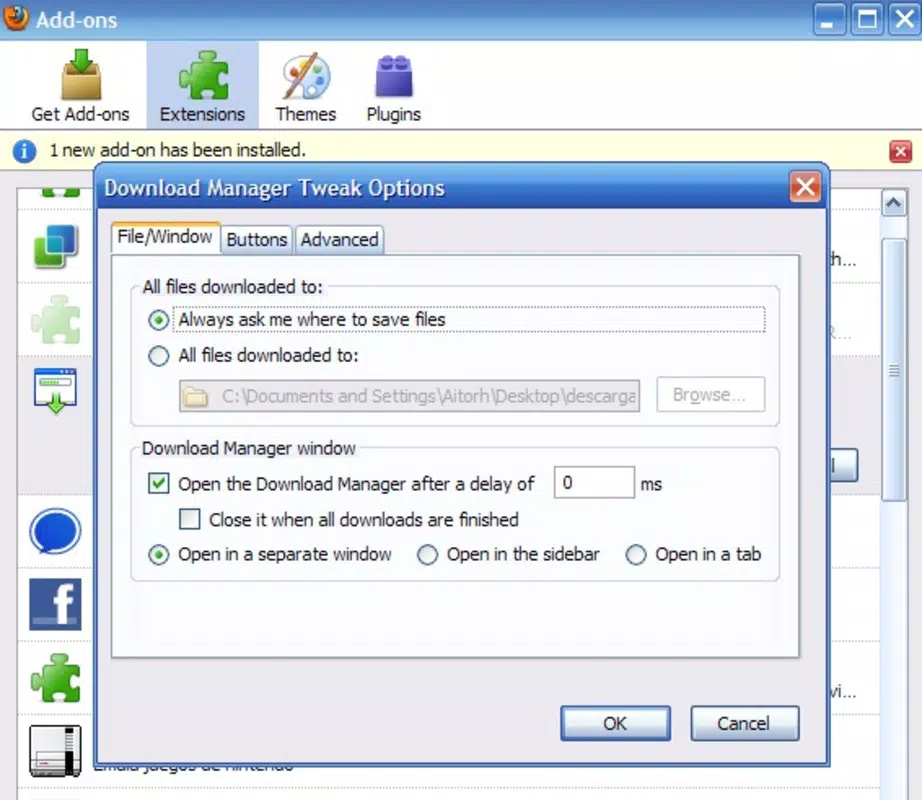
- Independent Tab/Window Access: Users can open the download manager in a new tab, sidebar, or standalone window, enabling uninterrupted browsing while monitoring downloads. This is particularly useful when working on multiple tasks, such as researching and downloading files simultaneously.
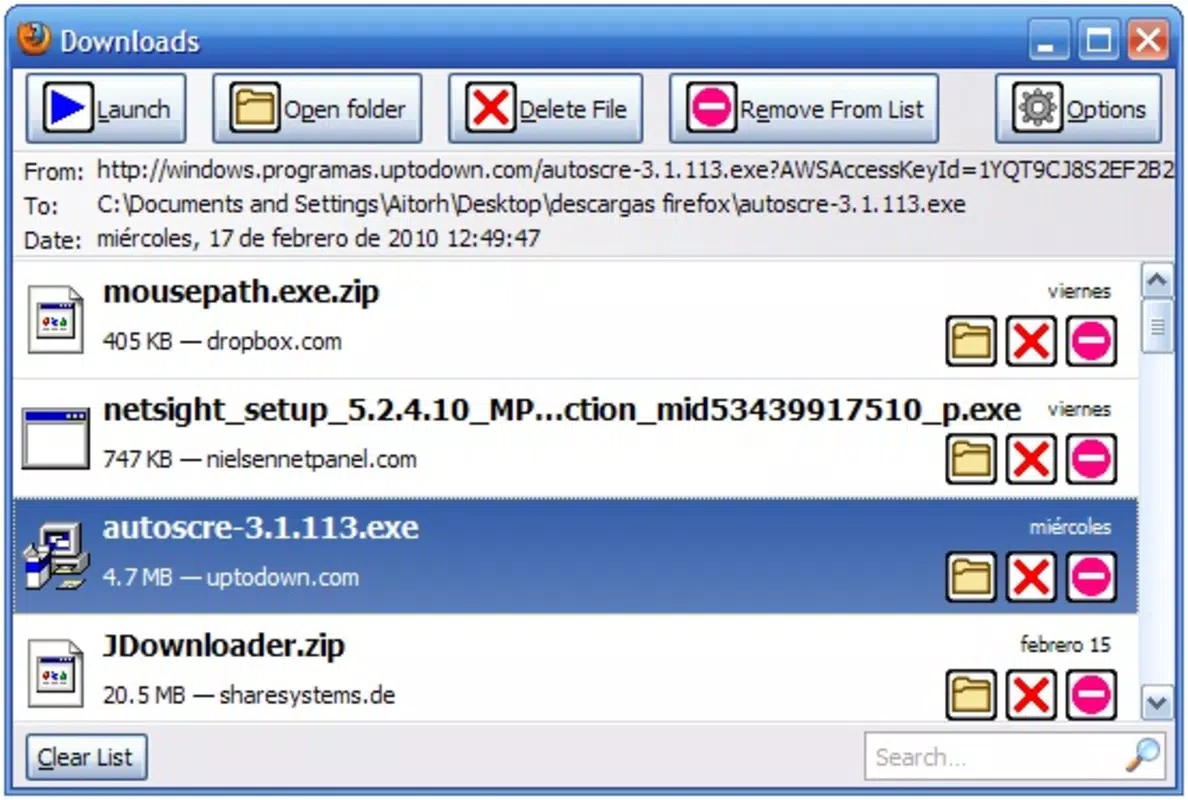
- Enhanced File Information Display: The extension provides detailed metadata for each download, including status (e.g., active, paused, completed), progress percentage, file size, and download speed. This transparency allows users to quickly assess the status of ongoing tasks.
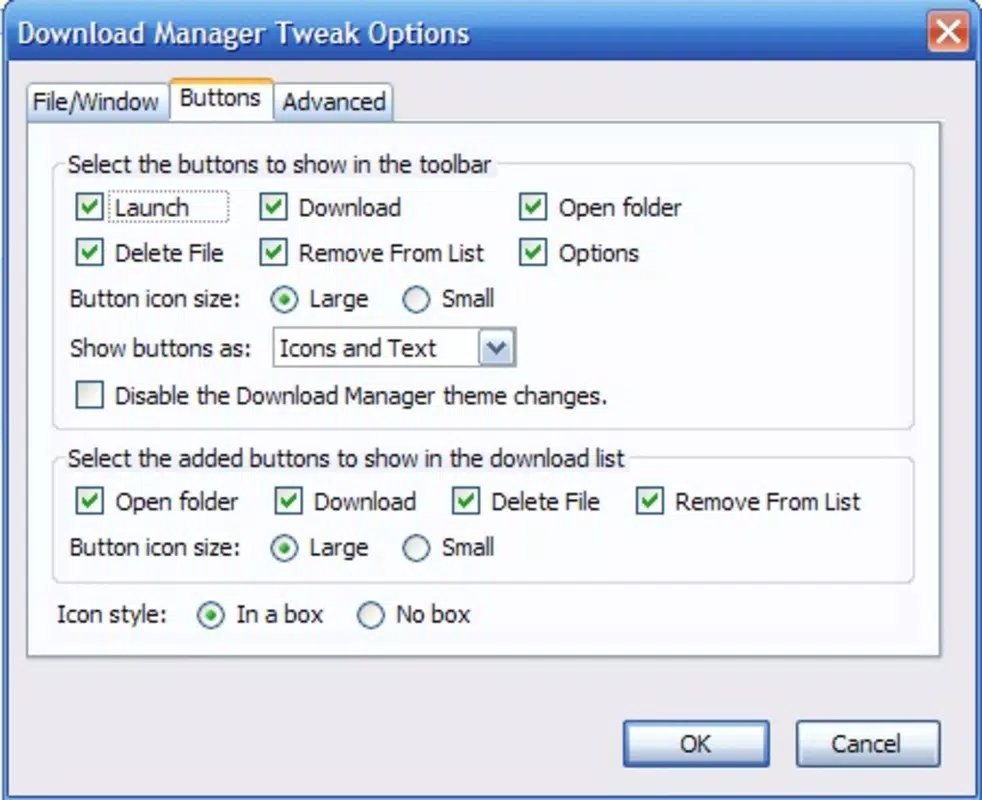
- Direct File Deletion: Users can delete downloaded files directly from the download manager interface, eliminating the need to navigate to the file system. This streamlines cleanup and reduces the risk of accidental file retention.
- Post-Download Automation: The extension supports automated actions upon download completion, such as launching the file, opening it in a specific application, or moving it to a designated folder. This feature enhances productivity for users who perform repetitive download tasks.
- Automatic List Cleanup: When a file is deleted from the hard drive, the extension can remove it from the download list, keeping the interface clean and preventing clutter from outdated or missing entries.
These features collectively create a more intuitive and efficient download workflow. For example, a user downloading a series of video tutorials can open the download manager in a sidebar, monitor progress in real time, and automatically launch each file after completion—streamlining the entire process.
Interface, UX & Performance
The interface of the Download Manager Tweak Extension integrates smoothly with Firefox’s existing UI, maintaining a consistent visual style and layout. Users access the enhanced download manager through a dedicated button or menu option, which opens the interface in the selected format—tab, sidebar, or window. Navigation is straightforward, with clear labels and logical grouping of download items.
Although the developer did not list formal performance metrics, the extension’s lightweight footprint of 110.2 KB suggests minimal impact on browser performance. It operates efficiently on a range of devices, from older systems to modern machines, without noticeable lag or memory overhead. Responsiveness is maintained even during high download activity, ensuring that users can interact with the interface in real time.
Stability appears to be a strength, supported by the extension’s long-standing availability and consistent updates. The user experience is optimized for usability, with intuitive controls and immediate feedback for actions like deletion or automation triggers. The extension does not introduce intrusive pop-ups or notifications, preserving a clean browsing environment.
Platform Compatibility & Technical Requirements
The Download Manager Tweak Extension is designed exclusively for the Firefox browser. It is compatible with the latest versions of Firefox, though specific minimum OS requirements were not listed. The extension’s file size is 110.2 KB, indicating a lightweight installation that does not significantly affect storage or performance.
While the developer did not specify supported operating systems or exact version compatibility, the extension has been functional since 2010, suggesting broad compatibility across Windows, macOS, and Linux platforms. Users should ensure their Firefox installation is up to date to maintain full functionality. The extension is distributed as a standard Firefox add-on package, compatible with the browser’s extension management system.
Pros and Cons
Pros
- Lightweight design with minimal system impact
- Flexible display options: tab, sidebar, or standalone window
- Enhanced visibility and control over download progress
- Direct file deletion from the manager interface
- Support for automated post-download actions
- Automatic cleanup of missing files from the list
Cons
- Exclusive to Firefox, limiting cross-browser use
- No official mobile or Android support
- Developer did not provide detailed technical specifications
- Interface may feel outdated compared to modern browser tools
- Requires manual update checks outside of Firefox’s auto-update system
FAQ
Is the Download Manager Tweak Extension safe to install?
Yes, the extension is developed by a known contributor and distributed through official Firefox channels. It does not require elevated permissions and operates within the browser’s sandboxed environment.
Can I use this extension on mobile Firefox?
The extension is designed for desktop Firefox and is not compatible with mobile versions of the browser. No mobile support has been announced or implemented.
Does the extension track my downloads or personal data?
No, the extension does not collect or transmit user data. It operates locally within the browser and only manages information related to the user’s own downloads.
How do I update the extension?
Firefox typically handles updates automatically. Users can also manually check for updates via the Firefox Add-ons Manager under the "Extensions" section.
Is the extension free to use?
Yes, the Download Manager Tweak Extension is available at no cost. It is distributed as a free tool without in-app purchases or premium tiers.
Final Thoughts
The Download Manager Tweak Extension remains a valuable tool for Firefox users seeking greater control over their download workflows. Its lightweight design, combined with powerful features like automated post-download actions and direct file management, makes it a standout utility in the productivity category. While it is limited to desktop Firefox and lacks mobile support, its focused functionality delivers tangible benefits for users who manage frequent or complex downloads.
For researchers, digital creators, and power users, this extension enhances efficiency and reduces friction in daily tasks. It transforms the default download manager into a dynamic, customizable tool that adapts to individual needs. With its long history of reliability and minimal resource usage, it continues to offer strong value.
Download Download Manager Tweak Extension now


